Why your phone calendar may show Langley events an hour late, and how to fix it
BC didn't fall back on November 1, but any calendar entry made before your apps learned that may have slid an hour. A five-minute check for Google, Apple and Outlook calendars, and what to do about the hockey schedule.
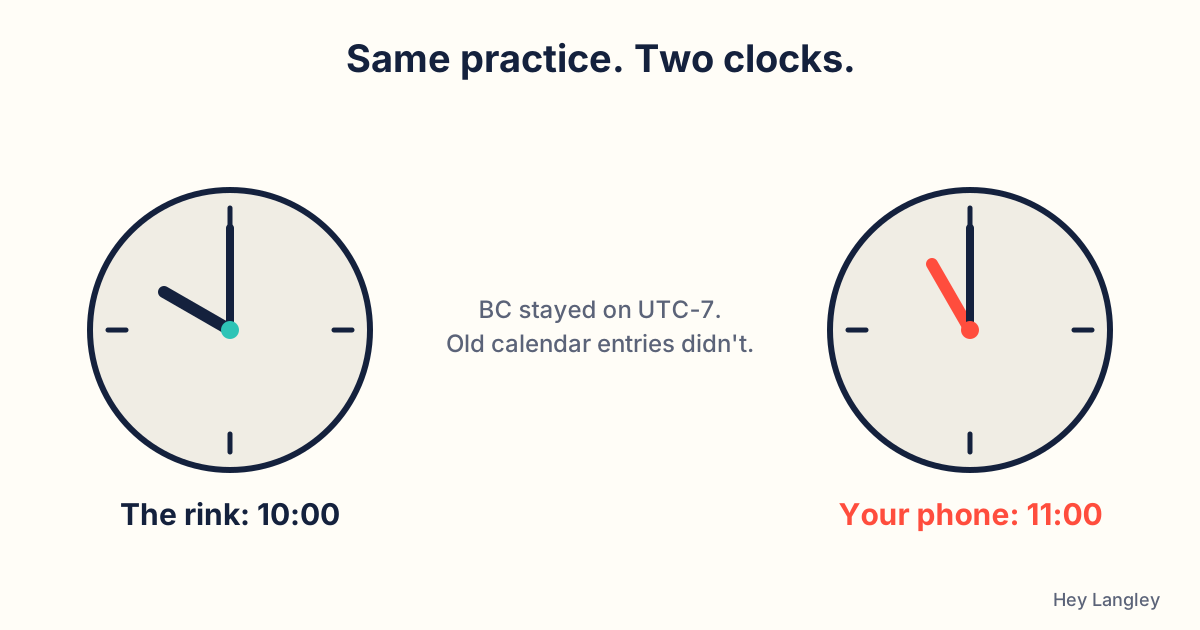
A 10 am practice at the rink is still a 10 am practice. The problem is the phone in your pocket, which may now insist it’s at 11.
Here’s the short version of why. Calendar apps store an event as a moment in universal time and convert it to your local clock when they display it. Until Google updated its time-zone definitions for BC on July 20, 2026, anything you saved for a date after November 1 was converted using the old rule, in which BC falls back an hour on that date. Google’s own help page says such events “appear on the calendar grid one hour later than originally scheduled” from November 1. Apple and Microsoft calendars have the same underlying issue, and so does any device that hasn’t had a software update since spring: the time-zone data that knows BC stays on UTC-7 all year (release 2026b) only came out in April.
Aldergrove Minor Hockey posted a reminder about exactly this on Sunday. Here’s how to sort it out in five minutes.
1. Check that your phone itself has the right time
If the clock on the lock screen matches the clock on the microwave, skip ahead. If it’s an hour out: on an iPhone, open Settings, then General, then Date & Time, and make sure Set Automatically is on; if it says updated time zone information is available, restart. On Android, search Settings for “Date and time” and leave automatic date, time and time zone on. Then install any waiting software update and restart. Apple’s and Google’s advice if the clock is still wrong afterwards is to turn the automatic setting off, pick a UTC-7 city by hand (Whitehorse works), and turn automatic back on later.
2. Google Calendar: use the banner, on a computer
Open calendar.google.com in a browser, not the phone app. Google is flagging affected events with a warning banner and a one-click Move one hour earlier button; the banner and the button only exist on the web version. For a recurring event (a weekly practice, a team meeting), open the first occurrence after November 1, choose Move one hour earlier, then “This and following events”. Only the person who created the event can fix it; if you’re a guest, ask the organiser to do it, then accept the updated invitation. Google says it has already shifted many single events automatically, so some may be fine when you look.
3. Apple Calendar
Apple pushed BC’s new rules to iPhones and Macs in May, but it hasn’t published a step for events that were already saved, and there’s no banner like Google’s. Do step 1 first so the device itself is right, then scroll through November and December and compare anything important against the organiser’s page. If an entry is an hour late, edit the start time; for a repeating event, apply the change to all future events.
4. Outlook and Teams
Windows got the new “(UTC-07:00) Pacific Time (British Columbia)” zone in its October 2026 update. Install that, then check Outlook’s own time zone setting matches. Microsoft says existing meetings do not move by themselves. UVic’s IT department has the clearest walkthrough: in Outlook on the web, open the meeting, click the globe icon beside the time, choose the BC zone, confirm, save; for a series, edit the series and do the same, and give an open-ended series an end date first or it won’t let you change the zone. UBC’s advice is the one to remember: if someone else organised it, don’t fix it yourself, tell them.
5. “Add to calendar” buttons from this fall
Anything you added from a confirmation email or website before mid-summer, like a Township recreation program or a tournament schedule, is the most likely to have shifted. Compare it against the confirmation or the organiser’s page, not against your calendar. The Township’s own notice on this is on our day one on Pacific time page, and our events calendar and calendar feeds are built with the fixed BC offset, so an event that looks right there is right.
The honest advice for the first couple of weeks of November: for anything that matters, look at the source, not the phone.